

 Ugreen
 .png) Devia
Devia  Mayline
  (1).png) D-power
D-power .png) Araree
Araree  Apple Original
  Samsung Original
 .svg.png) Xiaomi
Xiaomi  LinQ
LinQ  JBL
JBL .png) Belkin
Belkin  1More
1More  Techmade
  Benks
Benks Clearance






Apple
There are 5706 products.


Out-of-Stock
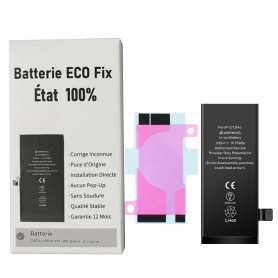
Battery A2479 2815mAh iPhone 12 / 12 Pro (ECO Fix) Direct Installation - No Pop-up / Health 100%
Use Repair Assistant to Finish an iPhone or iPad Repair
This Battery Without Logo
On an iPhone 12 or later running iOS 18, when a new Apple battery is installed,“Finish Repair” will appear next to Battery until you complete the repair using the Repair Assistant.
On an iPhone 12 or later running iOS 18, it is possible to reuse an original Apple battery on another iPhone of the same model.
The date of first use, capacity, and cycle count of your battery can be found in Settings > Battery > Battery Health.
How to Run Diagnostics & Finish Repair for iPhone Battery
1. Ensure your device is updated to iOS 18
2. Go to Settings > General > About > Parts & Service History
3. Tap "Restart & Finish Repair" to activate the Repair Assistant
4. Follow the on-screen instructions to complete the calibration
After completing this process, your battery will display 100% health, and there will be no pop-up warning about non-genuine parts.
Important Notes:
Your iPhone must be connected to Wi-Fi
Your battery level should be above 20%
If the process fails, restart your device and try again
If the repair is not completed, the battery may not function optimally, and some features (Face ID, Touch ID) may be disabled until calibration is finalized
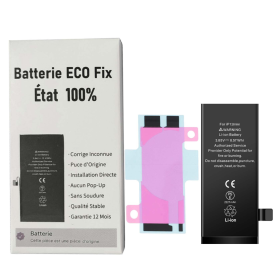
Battery A2471 2227mAh iPhone 12 mini (ECO Fix) Direct Installation - No Pop-up / Health 100%
Use Repair Assistant to Finish an iPhone or iPad Repair
This Battery Without Logo
On an iPhone 12 or later running iOS 18, when a new Apple battery is installed,“Finish Repair” will appear next to Battery until you complete the repair using the Repair Assistant.
On an iPhone 12 or later running iOS 18, it is possible to reuse an original Apple battery on another iPhone of the same model.
The date of first use, capacity, and cycle count of your battery can be found in Settings > Battery > Battery Health.
How to Run Diagnostics & Finish Repair for iPhone Battery
1. Ensure your device is updated to iOS 18
2. Go to Settings > General > About > Parts & Service History
3. Tap "Restart & Finish Repair" to activate the Repair Assistant
4. Follow the on-screen instructions to complete the calibration
After completing this process, your battery will display 100% health, and there will be no pop-up warning about non-genuine parts.
Important Notes:
Your iPhone must be connected to Wi-Fi
Your battery level should be above 20%
If the process fails, restart your device and try again
If the repair is not completed, the battery may not function optimally, and some features (Face ID, Touch ID) may be disabled until calibration is finalized

Out-of-Stock
Battery A2466 3687mAh iPhone 12 Pro Max (ECO Fix) Direct Installation - No Pop-up / Health 100%
Use Repair Assistant to Finish an iPhone or iPad Repair
This Battery Without Logo
On an iPhone 12 or later running iOS 18, when a new Apple battery is installed,“Finish Repair” will appear next to Battery until you complete the repair using the Repair Assistant.
On an iPhone 12 or later running iOS 18, it is possible to reuse an original Apple battery on another iPhone of the same model.
The date of first use, capacity, and cycle count of your battery can be found in Settings > Battery > Battery Health.
How to Run Diagnostics & Finish Repair for iPhone Battery
1. Ensure your device is updated to iOS 18
2. Go to Settings > General > About > Parts & Service History
3. Tap "Restart & Finish Repair" to activate the Repair Assistant
4. Follow the on-screen instructions to complete the calibration
After completing this process, your battery will display 100% health, and there will be no pop-up warning about non-genuine parts.
Important Notes:
Your iPhone must be connected to Wi-Fi
Your battery level should be above 20%
If the process fails, restart your device and try again
If the repair is not completed, the battery may not function optimally, and some features (Face ID, Touch ID) may be disabled until calibration is finalized
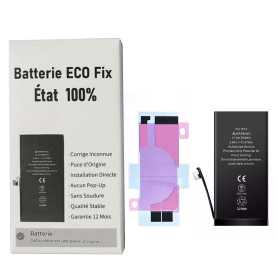
Out-of-Stock
Battery A2655 3232mAh iPhone 13 (ECO Fix) Direct Installation - No Pop-up / Health 100%
Use Repair Assistant to Finish an iPhone or iPad Repair
This Battery Without Logo
On an iPhone 12 or later running iOS 18, when a new Apple battery is installed,“Finish Repair” will appear next to Battery until you complete the repair using the Repair Assistant.
On an iPhone 12 or later running iOS 18, it is possible to reuse an original Apple battery on another iPhone of the same model.
The date of first use, capacity, and cycle count of your battery can be found in Settings > Battery > Battery Health.
How to Run Diagnostics & Finish Repair for iPhone Battery
1. Ensure your device is updated to iOS 18
2. Go to Settings > General > About > Parts & Service History
3. Tap "Restart & Finish Repair" to activate the Repair Assistant
4. Follow the on-screen instructions to complete the calibration
After completing this process, your battery will display 100% health, and there will be no pop-up warning about non-genuine parts.
Important Notes:
Your iPhone must be connected to Wi-Fi
Your battery level should be above 20%
If the process fails, restart your device and try again
If the repair is not completed, the battery may not function optimally, and some features (Face ID, Touch ID) may be disabled until calibration is finalized
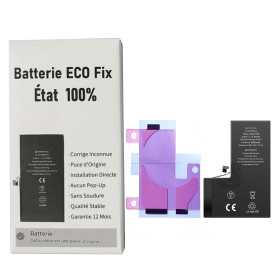
Battery A2656 3095mAh iPhone 13 Pro (ECO Fix) Direct Installation - No Pop-up / Health 100%
Use Repair Assistant to Finish an iPhone or iPad Repair
This Battery Without Logo
On an iPhone 12 or later running iOS 18, when a new Apple battery is installed,“Finish Repair” will appear next to Battery until you complete the repair using the Repair Assistant.
On an iPhone 12 or later running iOS 18, it is possible to reuse an original Apple battery on another iPhone of the same model.
The date of first use, capacity, and cycle count of your battery can be found in Settings > Battery > Battery Health.
How to Run Diagnostics & Finish Repair for iPhone Battery
1. Ensure your device is updated to iOS 18
2. Go to Settings > General > About > Parts & Service History
3. Tap "Restart & Finish Repair" to activate the Repair Assistant
4. Follow the on-screen instructions to complete the calibration
After completing this process, your battery will display 100% health, and there will be no pop-up warning about non-genuine parts.
Important Notes:
Your iPhone must be connected to Wi-Fi
Your battery level should be above 20%
If the process fails, restart your device and try again
If the repair is not completed, the battery may not function optimally, and some features (Face ID, Touch ID) may be disabled until calibration is finalized
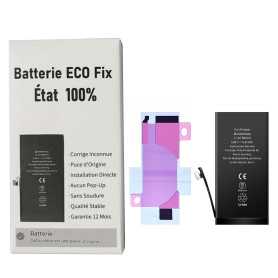
Out-of-Stock
Battery A2660 2406mAh iPhone 13 mini (ECO Fix) Direct Installation - No Pop-up / Health 100%
Use Repair Assistant to Finish an iPhone or iPad Repair
This Battery Without Logo
On an iPhone 12 or later running iOS 18, when a new Apple battery is installed,“Finish Repair” will appear next to Battery until you complete the repair using the Repair Assistant.
On an iPhone 12 or later running iOS 18, it is possible to reuse an original Apple battery on another iPhone of the same model.
The date of first use, capacity, and cycle count of your battery can be found in Settings > Battery > Battery Health.
How to Run Diagnostics & Finish Repair for iPhone Battery
1. Ensure your device is updated to iOS 18
2. Go to Settings > General > About > Parts & Service History
3. Tap "Restart & Finish Repair" to activate the Repair Assistant
4. Follow the on-screen instructions to complete the calibration
After completing this process, your battery will display 100% health, and there will be no pop-up warning about non-genuine parts.
Important Notes:
Your iPhone must be connected to Wi-Fi
Your battery level should be above 20%
If the process fails, restart your device and try again
If the repair is not completed, the battery may not function optimally, and some features (Face ID, Touch ID) may be disabled until calibration is finalized
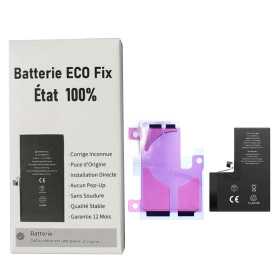
Out-of-Stock
Battery A2653 4352mAh iPhone 13 Pro Max (ECO Fix) Direct Installation - No Pop-up / Health 100%
Use Repair Assistant to Finish an iPhone or iPad Repair
This Battery Without Logo
On an iPhone 12 or later running iOS 18, when a new Apple battery is installed,“Finish Repair” will appear next to Battery until you complete the repair using the Repair Assistant.
On an iPhone 12 or later running iOS 18, it is possible to reuse an original Apple battery on another iPhone of the same model.
The date of first use, capacity, and cycle count of your battery can be found in Settings > Battery > Battery Health.
How to Run Diagnostics & Finish Repair for iPhone Battery
1. Ensure your device is updated to iOS 18
2. Go to Settings > General > About > Parts & Service History
3. Tap "Restart & Finish Repair" to activate the Repair Assistant
4. Follow the on-screen instructions to complete the calibration
After completing this process, your battery will display 100% health, and there will be no pop-up warning about non-genuine parts.
Important Notes:
Your iPhone must be connected to Wi-Fi
Your battery level should be above 20%
If the process fails, restart your device and try again
If the repair is not completed, the battery may not function optimally, and some features (Face ID, Touch ID) may be disabled until calibration is finalized
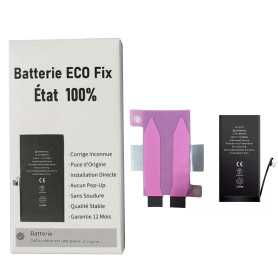
Out-of-Stock
Battery A2863 3279mAh iPhone 14 (ECO Fix) Direct Installation - No Pop-up / Health 100%
Use Repair Assistant to Finish an iPhone or iPad Repair
This Battery Without Logo
On an iPhone 12 or later running iOS 18, when a new Apple battery is installed,“Finish Repair” will appear next to Battery until you complete the repair using the Repair Assistant.
On an iPhone 12 or later running iOS 18, it is possible to reuse an original Apple battery on another iPhone of the same model.
The date of first use, capacity, and cycle count of your battery can be found in Settings > Battery > Battery Health.
How to Run Diagnostics & Finish Repair for iPhone Battery
1. Ensure your device is updated to iOS 18
2. Go to Settings > General > About > Parts & Service History
3. Tap "Restart & Finish Repair" to activate the Repair Assistant
4. Follow the on-screen instructions to complete the calibration
After completing this process, your battery will display 100% health, and there will be no pop-up warning about non-genuine parts.
Important Notes:
Your iPhone must be connected to Wi-Fi
Your battery level should be above 20%
If the process fails, restart your device and try again
If the repair is not completed, the battery may not function optimally, and some features (Face ID, Touch ID) may be disabled until calibration is finalized

Battery A2850 4325mAh iPhone 14 Plus (ECO Fix) Direct Installation - No Pop-up / Health 100%
Use Repair Assistant to Finish an iPhone or iPad Repair
This Battery Without Logo
On an iPhone 12 or later running iOS 18, when a new Apple battery is installed,“Finish Repair” will appear next to Battery until you complete the repair using the Repair Assistant.
On an iPhone 12 or later running iOS 18, it is possible to reuse an original Apple battery on another iPhone of the same model.
The date of first use, capacity, and cycle count of your battery can be found in Settings > Battery > Battery Health.
How to Run Diagnostics & Finish Repair for iPhone Battery
1. Ensure your device is updated to iOS 18
2. Go to Settings > General > About > Parts & Service History
3. Tap "Restart & Finish Repair" to activate the Repair Assistant
4. Follow the on-screen instructions to complete the calibration
After completing this process, your battery will display 100% health, and there will be no pop-up warning about non-genuine parts.
Important Notes:
Your iPhone must be connected to Wi-Fi
Your battery level should be above 20%
If the process fails, restart your device and try again
If the repair is not completed, the battery may not function optimally, and some features (Face ID, Touch ID) may be disabled until calibration is finalized
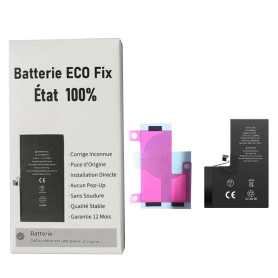
Battery A2866 3200mAh iPhone 14 Pro (ECO Fix) Direct Installation - No Pop-up / Health 100%
Use Repair Assistant to Finish an iPhone or iPad Repair
This Battery Without Logo
On an iPhone 12 or later running iOS 18, when a new Apple battery is installed,“Finish Repair” will appear next to Battery until you complete the repair using the Repair Assistant.
On an iPhone 12 or later running iOS 18, it is possible to reuse an original Apple battery on another iPhone of the same model.
The date of first use, capacity, and cycle count of your battery can be found in Settings > Battery > Battery Health.
How to Run Diagnostics & Finish Repair for iPhone Battery
1. Ensure your device is updated to iOS 18
2. Go to Settings > General > About > Parts & Service History
3. Tap "Restart & Finish Repair" to activate the Repair Assistant
4. Follow the on-screen instructions to complete the calibration
After completing this process, your battery will display 100% health, and there will be no pop-up warning about non-genuine parts.
Important Notes:
Your iPhone must be connected to Wi-Fi
Your battery level should be above 20%
If the process fails, restart your device and try again
If the repair is not completed, the battery may not function optimally, and some features (Face ID, Touch ID) may be disabled until calibration is finalized
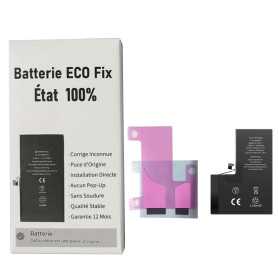
Out-of-Stock
Battery A2830 4323mAh iPhone 14 Pro Max (ECO Fix) Direct Installation - No Pop-up / Health 100%
Use Repair Assistant to Finish an iPhone or iPad Repair
This Battery Without Logo
On an iPhone 12 or later running iOS 18, when a new Apple battery is installed,“Finish Repair” will appear next to Battery until you complete the repair using the Repair Assistant.
On an iPhone 12 or later running iOS 18, it is possible to reuse an original Apple battery on another iPhone of the same model.
The date of first use, capacity, and cycle count of your battery can be found in Settings > Battery > Battery Health.
How to Run Diagnostics & Finish Repair for iPhone Battery
1. Ensure your device is updated to iOS 18
2. Go to Settings > General > About > Parts & Service History
3. Tap "Restart & Finish Repair" to activate the Repair Assistant
4. Follow the on-screen instructions to complete the calibration
After completing this process, your battery will display 100% health, and there will be no pop-up warning about non-genuine parts.
Important Notes:
Your iPhone must be connected to Wi-Fi
Your battery level should be above 20%
If the process fails, restart your device and try again
If the repair is not completed, the battery may not function optimally, and some features (Face ID, Touch ID) may be disabled until calibration is finalized
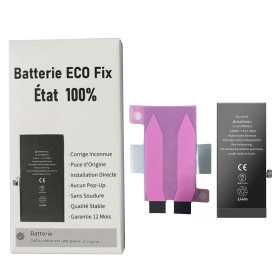
Battery A3018 3349mAh iPhone 15 (ECO Fix) Direct Installation - No Pop-up / Health 100%
Use Repair Assistant to Finish an iPhone or iPad Repair
This Battery Without Logo
On an iPhone 12 or later running iOS 18, when a new Apple battery is installed,“Finish Repair” will appear next to Battery until you complete the repair using the Repair Assistant.
On an iPhone 12 or later running iOS 18, it is possible to reuse an original Apple battery on another iPhone of the same model.
The date of first use, capacity, and cycle count of your battery can be found in Settings > Battery > Battery Health.
How to Run Diagnostics & Finish Repair for iPhone Battery
1. Ensure your device is updated to iOS 18
2. Go to Settings > General > About > Parts & Service History
3. Tap "Restart & Finish Repair" to activate the Repair Assistant
4. Follow the on-screen instructions to complete the calibration
After completing this process, your battery will display 100% health, and there will be no pop-up warning about non-genuine parts.
Important Notes:
Your iPhone must be connected to Wi-Fi
Your battery level should be above 20%
If the process fails, restart your device and try again
If the repair is not completed, the battery may not function optimally, and some features (Face ID, Touch ID) may be disabled until calibration is finalized
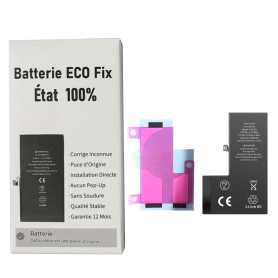
Battery A3011 3274mAh iPhone 15 Pro (ECO Fix) Direct Installation - No Pop-up / Health 100%
Use Repair Assistant to Finish an iPhone or iPad Repair
This Battery Without Logo
On an iPhone 12 or later running iOS 18, when a new Apple battery is installed,“Finish Repair” will appear next to Battery until you complete the repair using the Repair Assistant.
On an iPhone 12 or later running iOS 18, it is possible to reuse an original Apple battery on another iPhone of the same model.
The date of first use, capacity, and cycle count of your battery can be found in Settings > Battery > Battery Health.
How to Run Diagnostics & Finish Repair for iPhone Battery
1. Ensure your device is updated to iOS 18
2. Go to Settings > General > About > Parts & Service History
3. Tap "Restart & Finish Repair" to activate the Repair Assistant
4. Follow the on-screen instructions to complete the calibration
After completing this process, your battery will display 100% health, and there will be no pop-up warning about non-genuine parts.
Important Notes:
Your iPhone must be connected to Wi-Fi
Your battery level should be above 20%
If the process fails, restart your device and try again
If the repair is not completed, the battery may not function optimally, and some features (Face ID, Touch ID) may be disabled until calibration is finalized
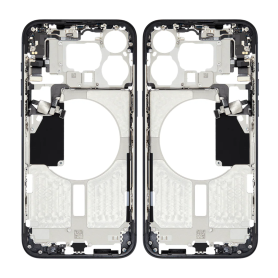


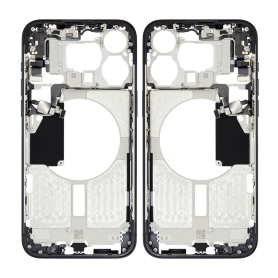
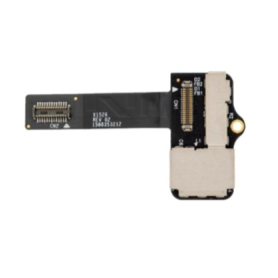
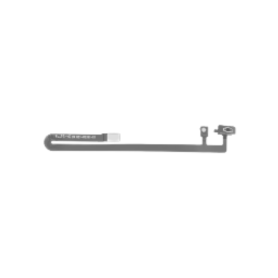
Touch Bar Cable LCD OLED Touchbar Ribbon Cable For MacBook Pro 13" A2159
Name: Battery Cable Laptop Model: A1708/A2159/A2289/A2338 Year: 2016-2022 PPN: 821-00614-05 821-00614-A APN: N/A Packing: Plastic Bag+Bubbles
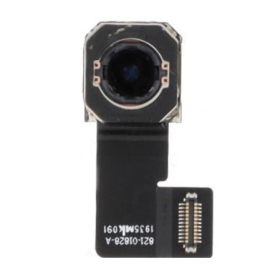
Rear Camera iPad 2022 (iPad 10th) A2696
iPad 5e (A1822) (A1823)
iPad 6e (A1893)(A1954)
iPad 7e (A2197)(A2198)(A2200)
iPad 8e (A2270)(A2428)(A2429)(A2430)
iPad 9e (A2602)(A2603)(A2604)(A2605)
iPad Air 2e (A1566)(A1567)
iPad Air 3e (A2123)(A2152)(A2153)
iPad mini 4e (A1538)(A1550)
iPad mini 5e (A2124)(A2126)(A2133)
iPad Pro 12.9" 1e (A1584) (A1652)
iPad 6e (A1893)(A1954)
iPad 7e (A2197)(A2198)(A2200)
iPad 8e (A2270)(A2428)(A2429)(A2430)
iPad 9e (A2602)(A2603)(A2604)(A2605)
iPad Air 2e (A1566)(A1567)
iPad Air 3e (A2123)(A2152)(A2153)
iPad mini 4e (A1538)(A1550)
iPad mini 5e (A2124)(A2126)(A2133)
iPad Pro 12.9" 1e (A1584) (A1652)
Airport Bluetooth Wifi Network Card For MacBook Pro 15" A1286
Name: Wifi Card Laptop Model: A1278 A1286 A1297 Year: A1278 2008-2010 A1286 2008 2009 A1297 2009 PPN: BCM94322USA APN: 607-4144-A 607-4145-A 607-4146-A 607-4147-A 607-6331-A 607-6332-A 607-6335-A WI-FI: Built-in AirPort Extreme card (802.11a/b/g/n) Bluetooth: Built-in Bluetooth 2.1 + EDR Packaging: Plastic Bag+Bubbles
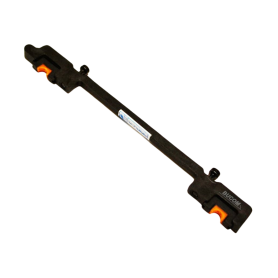
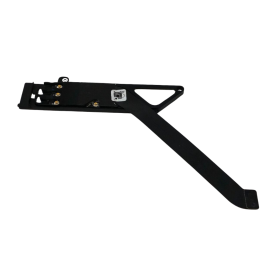
HDD Hard Drive Bracket for MacBook Pro 13/15" A1286
Nom :Infrared Sensor Cable Laptop Model:A1286 Année :2008 PPN: 821-0641-A APN: N/A Packing: Plastic Bag+Bubbles
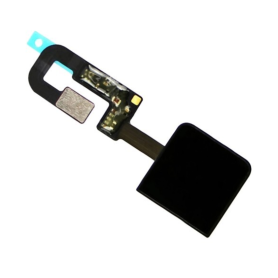
Touch ID Power Button For MacBook Pro 13" A2251
Nom :Power Button Laptop Model:A2289/A2251/A2338 Année :2020-2022 PPN: 821-02624-01 APN: 661-15734 Packing: Plastic Bag+Bubbles
Out-of-Stock


Out-of-Stock
Out-of-Stock
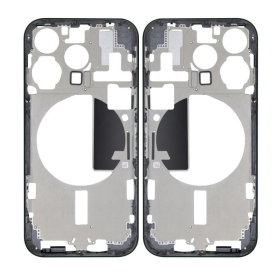
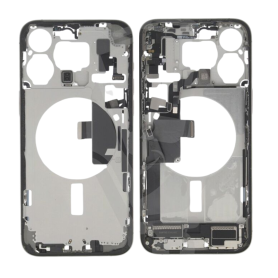
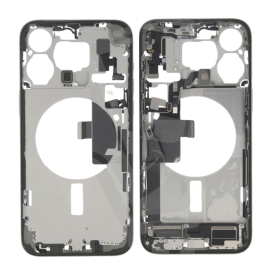
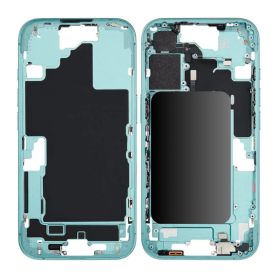
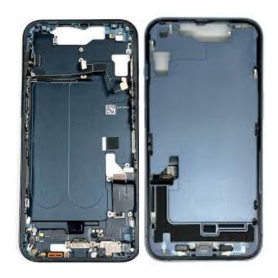
iPhone 16 Plus Chassis Charging Connector without Back Glass without Teal eSIM Battery (Original Disassembled) Grade A
iPhone 16 Plus Chassis without Back Glass without Teal eSIM Battery (Original Disassembled) Grade A - Key Features
Authentic Quality: crafted from genuine disassembled iPhone 16 Plus units, ensuring compatibility and factory-level standards for a perfect fit and finish.
Premium Grade A Condition: meticulously inspected and selected to be in near-new condition, free from major scratches, dents, or imperfections, promising a pristine appearance.
Chassis Only (Excludes Back Glass & Teal eSIM Battery): an economical and efficient choice for those specifically seeking to replace or upgrade the main structural frame of their iPhone 16 Plus while retaining existing back glass and battery components.
Precision Engineering: manufactured to the precise dimensions and specifications of the original iPhone 16 Plus, ensuring all internal components align seamlessly, with precise port locations and mounting points for easy installation.
Durable Construction: made from high-quality materials that provide robust structural integrity and resilience, ensuring your device maintains its durability for long-term usage.
Compatibility: perfect for professional technicians or skilled DIY enthusiasts looking to refurbish iPhone 16 Plus models, providing guaranteed compatibility with all hardware components specific to the device.
Enhanced Aesthetic Customization: by excluding the back glass, this offers a unique opportunity for personalization or specific repair scenarios, allowing flexibility for custom finishes or design modifications to suit personal tastes.
This product is ideal for restoration projects or repairs, offering a fully authentic framework that ensures your device remains true to Apple's renowned quality and design excellence.
Authentic Quality: crafted from genuine disassembled iPhone 16 Plus units, ensuring compatibility and factory-level standards for a perfect fit and finish.
Premium Grade A Condition: meticulously inspected and selected to be in near-new condition, free from major scratches, dents, or imperfections, promising a pristine appearance.
Chassis Only (Excludes Back Glass & Teal eSIM Battery): an economical and efficient choice for those specifically seeking to replace or upgrade the main structural frame of their iPhone 16 Plus while retaining existing back glass and battery components.
Precision Engineering: manufactured to the precise dimensions and specifications of the original iPhone 16 Plus, ensuring all internal components align seamlessly, with precise port locations and mounting points for easy installation.
Durable Construction: made from high-quality materials that provide robust structural integrity and resilience, ensuring your device maintains its durability for long-term usage.
Compatibility: perfect for professional technicians or skilled DIY enthusiasts looking to refurbish iPhone 16 Plus models, providing guaranteed compatibility with all hardware components specific to the device.
Enhanced Aesthetic Customization: by excluding the back glass, this offers a unique opportunity for personalization or specific repair scenarios, allowing flexibility for custom finishes or design modifications to suit personal tastes.
This product is ideal for restoration projects or repairs, offering a fully authentic framework that ensures your device remains true to Apple's renowned quality and design excellence.
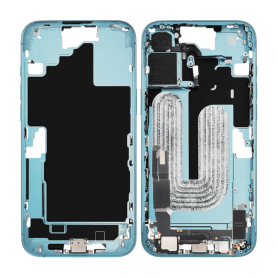
iPhone 16 Chassis Charging Connector without Back Glass without Battery Teal (Original Disassembled) Grade AB
Key Features of iPhone 16 Chassis without Rear Glass without Battery Teal (Original Disassembled) Grade AB
Authentic Apple Component: This iPhone 16 chassis is an original, genuine Apple part, ensuring compatibility and optimal performance for your device restoration or repair project.
Color and Finish: The chassis is presented in a sleek and sophisticated Teal finish, offering a distinct and modern look that aligns with the latest iPhone design aesthetics.
Grade AB Quality: As a Grade AB product, it shows minimal signs of wear, ensuring a balance of quality and cost-effectiveness. The chassis is functional with possible slight cosmetic imperfections, suitable for users seeking value without sacrificing functionality.
No Rear Glass: This component is designed without rear glass, providing flexibility for customization or targeted repairs such as replacing only the glass with either original or third-party options.
Battery Excluded: Excludes a battery, allowing for customization of power options according to user requirements or allowing for the reuse of an existing battery to maintain eco-friendliness.
Optimized for Repair and Custom Projects: Ideal for technicians and DIY enthusiasts focusing on personalization, repair, or refurbishment projects. The disassembled nature eases the integration of components as needed.
Precision-Crafted: Engineered to precision, the chassis supports all connectors, sensors, and button placements, ensuring that all hardware components such as the camera, charging ports, and speakers fit perfectly without compromise.
Cost-Effective Solution: Offering a budget-friendly option for those who require only the chassis and wish to manage other components separately, maximizing repair effectiveness without full device replacement.
Environmentally Conscious Choice: Selecting this product supports sustainable tech practices by extending the life of existing devices, reducing electronic waste through component-level repairs and upgrades.
Authentic Apple Component: This iPhone 16 chassis is an original, genuine Apple part, ensuring compatibility and optimal performance for your device restoration or repair project.
Color and Finish: The chassis is presented in a sleek and sophisticated Teal finish, offering a distinct and modern look that aligns with the latest iPhone design aesthetics.
Grade AB Quality: As a Grade AB product, it shows minimal signs of wear, ensuring a balance of quality and cost-effectiveness. The chassis is functional with possible slight cosmetic imperfections, suitable for users seeking value without sacrificing functionality.
No Rear Glass: This component is designed without rear glass, providing flexibility for customization or targeted repairs such as replacing only the glass with either original or third-party options.
Battery Excluded: Excludes a battery, allowing for customization of power options according to user requirements or allowing for the reuse of an existing battery to maintain eco-friendliness.
Optimized for Repair and Custom Projects: Ideal for technicians and DIY enthusiasts focusing on personalization, repair, or refurbishment projects. The disassembled nature eases the integration of components as needed.
Precision-Crafted: Engineered to precision, the chassis supports all connectors, sensors, and button placements, ensuring that all hardware components such as the camera, charging ports, and speakers fit perfectly without compromise.
Cost-Effective Solution: Offering a budget-friendly option for those who require only the chassis and wish to manage other components separately, maximizing repair effectiveness without full device replacement.
Environmentally Conscious Choice: Selecting this product supports sustainable tech practices by extending the life of existing devices, reducing electronic waste through component-level repairs and upgrades.
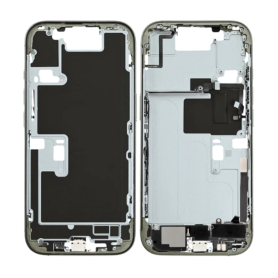
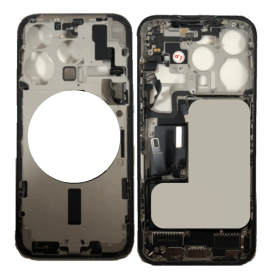
iPhone 16 Pro Max Chassis without Back Glass without Battery Natural Titanium (Original Disassembled) Grade AB
Main Features of the iPhone 16 Pro Max Chassis without Back Glass without Battery Natural Titanium (Original Démonte) Grade AB: Premium Material: Made of natural titanium, this chassis offers an excellent combination of lightness and sturdiness, ensuring increased durability and optimal resistance to impacts and scratches. Compatibility: Specifically designed for the iPhone 16 Pro Max model, ensuring a perfect fit and seamless assembly with the phone's other internal components. Grade AB Quality: Although disassembled, this chassis is classified as Grade AB, meaning it shows slight cosmetic imperfections while retaining full functionality, ideal for economical repairs without compromising performance. Without Back Glass or Battery: Sold without back glass or battery, providing flexibility for those who wish to customize or replace these elements separately. OEM Compatibility: Certified manufacturer Origine, ensuring that this product meets Apple's exact specifications for seamless integration and optimal operation with other original parts. Easy Installation: Designed to facilitate disassembly and reassembly, even for users new to smartphone repair, reducing hassles and professional repair costs. Aesthetic Finish: Its natural titanium finish offers an elegant and timeless look, enhancing the device's overall appearance while adding a touch of sophistication. Take advantage of this quality chassis to restore or customize your iPhone 16 Pro Max while benefiting from the durability of titanium.
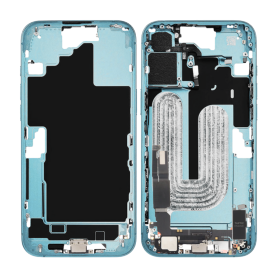
iPhone 16 Chassis Charging Connector without Back Glass without Battery Teal eSIM US (Original Disassembled) Grade A
Key Features of iPhone 16 Chassis without Rear Glass without Battery Teal eSIM US (Original Disassembled) Grade A:
Authentic Original Chassis: This product features an original disassembled chassis for the iPhone 16, ensuring compatibility and seamless integration with other original components.
Grade A Quality: The chassis has been rigorously inspected to guarantee Grade A quality, indicating top-tier condition with minimal to no signs of wear and tear.
Teal Finish: The stylish teal color offers a fresh and modern aesthetic, perfect for those looking to personalize their device with a unique hue.
eSIM Compatibility: Designed to work seamlessly with eSIM technology, this chassis supports the latest in mobile connectivity, offering a versatile and straightforward network setup.
US Model: Specifically tailored for the US market, this chassis ensures compatibility with US carrier networks and frequency bands.
No Rear Glass or Battery: This component is intended for advanced repairs and customizations, providing flexibility for users to install their own rear glass and battery as per their preferences or needs.
Eco-Friendly Solution: By utilizing a disassembled original chassis, this product supports sustainable practices by offering a recycled and repurposed solution for tech enthusiasts and repair professionals.
Professional Installation Recommended: Due to the complexity of assembling an iPhone 16, professional installation is recommended to ensure optimal performance and integrity of the device.
This chassis is ideal for technicians, repair shops, and DIY enthusiasts seeking a high-quality foundation for building or repairing an iPhone 16.
Authentic Original Chassis: This product features an original disassembled chassis for the iPhone 16, ensuring compatibility and seamless integration with other original components.
Grade A Quality: The chassis has been rigorously inspected to guarantee Grade A quality, indicating top-tier condition with minimal to no signs of wear and tear.
Teal Finish: The stylish teal color offers a fresh and modern aesthetic, perfect for those looking to personalize their device with a unique hue.
eSIM Compatibility: Designed to work seamlessly with eSIM technology, this chassis supports the latest in mobile connectivity, offering a versatile and straightforward network setup.
US Model: Specifically tailored for the US market, this chassis ensures compatibility with US carrier networks and frequency bands.
No Rear Glass or Battery: This component is intended for advanced repairs and customizations, providing flexibility for users to install their own rear glass and battery as per their preferences or needs.
Eco-Friendly Solution: By utilizing a disassembled original chassis, this product supports sustainable practices by offering a recycled and repurposed solution for tech enthusiasts and repair professionals.
Professional Installation Recommended: Due to the complexity of assembling an iPhone 16, professional installation is recommended to ensure optimal performance and integrity of the device.
This chassis is ideal for technicians, repair shops, and DIY enthusiasts seeking a high-quality foundation for building or repairing an iPhone 16.
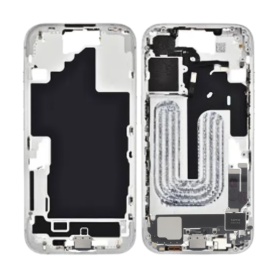
iPhone 16E Chassis Charging Connector without Back Glass without Battery White (Original Disassembled) Grade AB
Key Features of iPhone 16E Chassis without Rear Glass without Battery White (Original Disassembled) Grade AB:
Original Component: The iPhone 16E chassis is an original part designed to seamlessly fit your iPhone, ensuring perfect compatibility and superior build quality inherent to Apple products.
Disassembled Grade AB: This quality grade denotes minor cosmetic imperfections, which are barely noticeable and do not affect the structural integrity or overall performance. Ideal for cost-effective replacements without compromising on functionality.
White Aesthetic: Featuring a sleek white finish, this chassis provides a clean and modern look, offering an elegant aesthetic for your device while ensuring it aligns with Apple's iconic design philosophy.
Precision Engineering: Crafted with high precision to ensure all internal components such as the logic board, camera, and buttons align correctly, maintaining the original usability and functionality of your phone.
No Rear Glass: The chassis does not include the rear glass panel, providing flexibility for users who wish to customize their device with a different back or replace only the essential framework.
Eco-friendly Option: Utilizing original disassembled parts helps reduce e-waste and supports sustainable practices, making it a more environmentally responsible choice for your repair or refurbishment needs.
Excludes Battery: Designed for users who need only the chassis without the battery, allowing for separate acquisition of a new or preferred battery option to match specific power needs.
Ideal for Repairs and Customization: This chassis is perfect for technicians or DIY enthusiasts looking to repair or customize their iPhone 16E at an affordable price point without sacrificing part authenticity.
Original Component: The iPhone 16E chassis is an original part designed to seamlessly fit your iPhone, ensuring perfect compatibility and superior build quality inherent to Apple products.
Disassembled Grade AB: This quality grade denotes minor cosmetic imperfections, which are barely noticeable and do not affect the structural integrity or overall performance. Ideal for cost-effective replacements without compromising on functionality.
White Aesthetic: Featuring a sleek white finish, this chassis provides a clean and modern look, offering an elegant aesthetic for your device while ensuring it aligns with Apple's iconic design philosophy.
Precision Engineering: Crafted with high precision to ensure all internal components such as the logic board, camera, and buttons align correctly, maintaining the original usability and functionality of your phone.
No Rear Glass: The chassis does not include the rear glass panel, providing flexibility for users who wish to customize their device with a different back or replace only the essential framework.
Eco-friendly Option: Utilizing original disassembled parts helps reduce e-waste and supports sustainable practices, making it a more environmentally responsible choice for your repair or refurbishment needs.
Excludes Battery: Designed for users who need only the chassis without the battery, allowing for separate acquisition of a new or preferred battery option to match specific power needs.
Ideal for Repairs and Customization: This chassis is perfect for technicians or DIY enthusiasts looking to repair or customize their iPhone 16E at an affordable price point without sacrificing part authenticity.
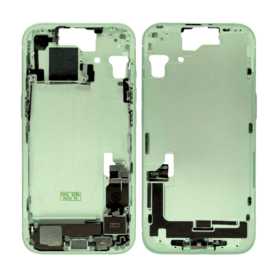
iPhone 15 Chassis Charging Connector without Back Glass without Battery Green eSIM US (Original Disassembled) Grade A
iPhone 15 Chassis without Back Glass without Battery Green eSIM US (Origine Démonté) - Grade A Transform your iPhone experience with this original chassis, specially designed for the iPhone 15. This product, resulting from careful disassembly, guarantees compatibility and a perfect fit for your device. Main Features: Origine Démonté: Obtained from dismantled iPhones, this chassis meets Apple quality standards while being an eco-friendly option. Grade A: Enjoy a product in exceptional condition, verified and certified to be free of significant visual defects such as scratches or scuffs. Without Back Glass & Battery: This chassis includes all the internal structure necessary for your device, with the exception of the back glass and battery. Offers great flexibility for custom repairs. Elegant Green Color: Add a refreshing and modern touch to your iPhone with this green chassis with careful finishes. eSIM Compatibility: Suitable for models supporting eSIM, offering advanced connectivity without the need for a physical SIM card. US Version: Ensures full compatibility with the frequencies and bands specific to the United States, guaranteeing optimal performance. Ideal for iPhone Repairers and Refurbishers: An excellent choice for those looking to refurbish or customize their devices with high-quality components. Choose this higher-grade chassis and reinvent your iPhone 15 with style and reliability.
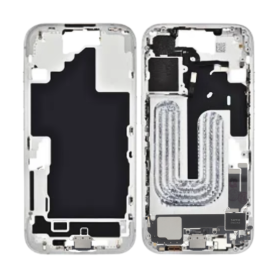
iPhone 16E Chassis without Back Glass without Battery White (Original Disassembled) Grade AB
Key Features of iPhone 16E Chassis without Rear Glass without Battery White (Original Disassembled) Grade AB
Original Quality: This iPhone 16E chassis is an original part, ensuring perfect fit and compatibility with your device. Manufactured to Apple's precise standards, it maintains the structural integrity of the iPhone.
Premium Material: Made from high-grade aluminum, the chassis offers robust durability while maintaining a lightweight design. The matte white finish gives it a sleek and stylish appearance.
Grade AB Condition: This chassis is classified as Grade AB, meaning it may have minor cosmetic imperfections, but functions perfectly. Each unit is carefully inspected to ensure it meets quality and operational standards.
Disassembled Component: Being an original disassembled part, it provides flexibility for repairs without the need to remove additional components. Ideal for customizations or replacements.
Excludes Rear Glass and Battery: This chassis comes without the rear glass and battery, providing cost efficiency and the opportunity for further customization or use of existing parts.
Precision Design: Ensures seamless integration with the iPhone 16E's internal components, allowing for easy assembly and maintenance.
Supports Full Functionality: Designed to support all original functionalities of the iPhone 16E, including all buttons, ports, and connectors, ensuring zero interference with the phone’s operation.
Eco-Friendly Replacement: Opting for this chassis promotes sustainability by extending the life of your iPhone and reducing electronic waste.
This iPhone 16E chassis is perfect for those seeking reliable repairs or engaging in tech refurbishing projects.
Original Quality: This iPhone 16E chassis is an original part, ensuring perfect fit and compatibility with your device. Manufactured to Apple's precise standards, it maintains the structural integrity of the iPhone.
Premium Material: Made from high-grade aluminum, the chassis offers robust durability while maintaining a lightweight design. The matte white finish gives it a sleek and stylish appearance.
Grade AB Condition: This chassis is classified as Grade AB, meaning it may have minor cosmetic imperfections, but functions perfectly. Each unit is carefully inspected to ensure it meets quality and operational standards.
Disassembled Component: Being an original disassembled part, it provides flexibility for repairs without the need to remove additional components. Ideal for customizations or replacements.
Excludes Rear Glass and Battery: This chassis comes without the rear glass and battery, providing cost efficiency and the opportunity for further customization or use of existing parts.
Precision Design: Ensures seamless integration with the iPhone 16E's internal components, allowing for easy assembly and maintenance.
Supports Full Functionality: Designed to support all original functionalities of the iPhone 16E, including all buttons, ports, and connectors, ensuring zero interference with the phone’s operation.
Eco-Friendly Replacement: Opting for this chassis promotes sustainability by extending the life of your iPhone and reducing electronic waste.
This iPhone 16E chassis is perfect for those seeking reliable repairs or engaging in tech refurbishing projects.

iPhone 16e/17e Vibrator
Key Features of the iPhone 16e/17e Vibrator: Optimize the performance of your iPhone 16e/17e with our high-quality vibrator, designed to provide an exceptional user experience. This essential component ensures discreet and effective notifications, while preserving the elegance and functionality of your device. Perfect Compatibility: Specifically designed for iPhone 16e and 17e models, ensuring seamless integration and optimal operation. Advanced Technology: Enjoy cutting-edge vibration technology that provides precise and responsive tactile alerts, enhancing your daily interaction with your smartphone. Easy Installation: Supplied with clear instructions for a quick and hassle-free installation, even for novice users. Durability and Reliability: Made from high-quality materials to ensure a long lifespan and consistent performance. Energy Efficiency: Designed to consume minimal energy, thereby preserving your iPhone's battery life. Enhance your mobile experience with a vibrator that combines performance, reliability, and innovation.

iPhone 16e/17e Front Camera
Key Features of iPhone 16e/17e Front Camera:
High-Resolution Imaging: Capture stunning selfies and video calls with a 12MP front camera, delivering crisp and vibrant images with exceptional detail.
Advanced Night Mode: Experience superior low-light performance with enhanced Night Mode, ensuring clear and bright selfies even in dim environments.
Smart HDR 5: Benefit from Smart HDR 5 technology, which intelligently adjusts exposure and contrast for perfectly balanced photos in any lighting condition.
Cinematic Video Recording: Record professional-quality videos with Cinematic mode, offering smooth transitions and depth-of-field effects for a movie-like experience.
AI-Powered Features: Leverage AI enhancements for features like Portrait Lighting and Animoji, providing creative and personalized photo and video options.
Ultra-Wide Lens: Enjoy a wider field of view with the ultra-wide lens, perfect for group selfies and capturing more of your surroundings.
TrueDepth Technology: Utilize TrueDepth technology for secure Face ID authentication and immersive augmented reality experiences.
ProRes Video Support: Capture and edit high-quality ProRes videos directly from your front camera, ideal for content creators.
5G Connectivity: Seamlessly share your high-quality photos and videos with ultra-fast 5G connectivity.
Durable Design: Built with robust materials to withstand everyday use, ensuring longevity and reliability.
High-Resolution Imaging: Capture stunning selfies and video calls with a 12MP front camera, delivering crisp and vibrant images with exceptional detail.
Advanced Night Mode: Experience superior low-light performance with enhanced Night Mode, ensuring clear and bright selfies even in dim environments.
Smart HDR 5: Benefit from Smart HDR 5 technology, which intelligently adjusts exposure and contrast for perfectly balanced photos in any lighting condition.
Cinematic Video Recording: Record professional-quality videos with Cinematic mode, offering smooth transitions and depth-of-field effects for a movie-like experience.
AI-Powered Features: Leverage AI enhancements for features like Portrait Lighting and Animoji, providing creative and personalized photo and video options.
Ultra-Wide Lens: Enjoy a wider field of view with the ultra-wide lens, perfect for group selfies and capturing more of your surroundings.
TrueDepth Technology: Utilize TrueDepth technology for secure Face ID authentication and immersive augmented reality experiences.
ProRes Video Support: Capture and edit high-quality ProRes videos directly from your front camera, ideal for content creators.
5G Connectivity: Seamlessly share your high-quality photos and videos with ultra-fast 5G connectivity.
Durable Design: Built with robust materials to withstand everyday use, ensuring longevity and reliability.
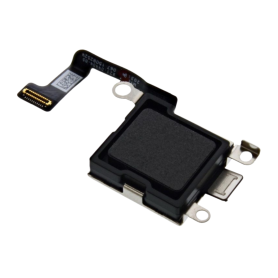

iPhone 16e/17e Rear Camera (Original Disassembled)
Key Features of iPhone 16e/17e Rear Camera (Original Disassembled):
Authentic Quality: Sourced from original iPhone 16e/17e models, ensuring genuine Apple quality and performance.
High Resolution: Delivers stunning image clarity with advanced megapixel capabilities, perfect for capturing detailed photos and videos.
Advanced Sensor Technology: Equipped with cutting-edge sensor technology for enhanced low-light performance and accurate color reproduction.
Optical Image Stabilization: Reduces blurriness and improves image sharpness, especially in motion or low-light conditions.
Wide and Ultra-Wide Lenses: Offers versatile shooting options with both wide and ultra-wide lenses, ideal for landscape, portrait, and macro photography.
Seamless Integration: Designed to fit perfectly with the iPhone 16e/17e, ensuring compatibility and easy installation.
Enhanced Video Capabilities: Supports high-definition video recording with features like slow-motion and time-lapse.
Durable Construction: Built to withstand daily wear and tear, maintaining performance over time.
Eco-Friendly Option: As a disassembled original part, it promotes sustainability by reducing electronic waste.
Cost-Effective Repair Solution: Ideal for replacing damaged or malfunctioning rear cameras without the need for a full device replacement.
Authentic Quality: Sourced from original iPhone 16e/17e models, ensuring genuine Apple quality and performance.
High Resolution: Delivers stunning image clarity with advanced megapixel capabilities, perfect for capturing detailed photos and videos.
Advanced Sensor Technology: Equipped with cutting-edge sensor technology for enhanced low-light performance and accurate color reproduction.
Optical Image Stabilization: Reduces blurriness and improves image sharpness, especially in motion or low-light conditions.
Wide and Ultra-Wide Lenses: Offers versatile shooting options with both wide and ultra-wide lenses, ideal for landscape, portrait, and macro photography.
Seamless Integration: Designed to fit perfectly with the iPhone 16e/17e, ensuring compatibility and easy installation.
Enhanced Video Capabilities: Supports high-definition video recording with features like slow-motion and time-lapse.
Durable Construction: Built to withstand daily wear and tear, maintaining performance over time.
Eco-Friendly Option: As a disassembled original part, it promotes sustainability by reducing electronic waste.
Cost-Effective Repair Solution: Ideal for replacing damaged or malfunctioning rear cameras without the need for a full device replacement.

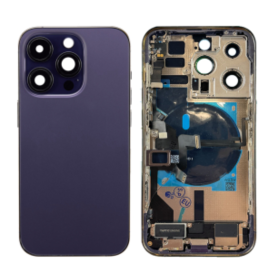
Out-of-Stock
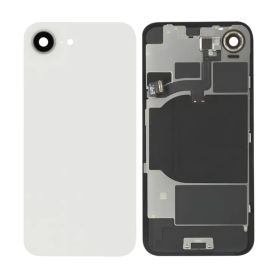
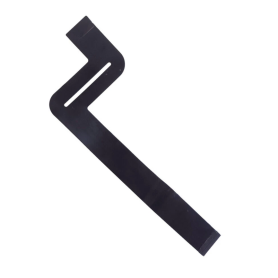
Trackpad Touchpad Cable Ipd Flex Cable For MacBook Pro 13" A2159
Name: Battery Cable Laptop Model: A1708/A2159/A2289/A2338 Year: 2016-2022 PPN: 821-00614-05 821-00614-A APN: N/A Packing: Plastic Bag+Bubbles
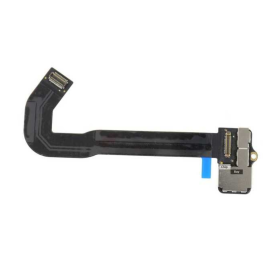
Touch Bar Cable LCD OLED Display Ribbon Cable For MacBook Pro 13" A1706 A1989
Name: Touch Bar OLED Screen Laptop Model: A1706 Year: Late 2016 Mid 2017 PPN: 821-00681-04 APN: N/A Packing: Plastic Bag+Bubbles
Out-of-Stock
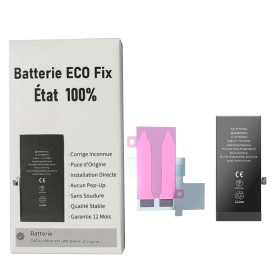
Battery A3018 3349mAh iPhone 15 Plus (ECO Fix) Diagnostics / Battery Health 100% / Fix Unknown Part Message
Use Repair Assistant to Finish an iPhone or iPad Repair
This Battery Without Logo
On an iPhone 12 or later running iOS 18, when a new Apple battery is installed,“Finish Repair” will appear next to Battery until you complete the repair using the Repair Assistant.
On an iPhone 12 or later running iOS 18, it is possible to reuse an original Apple battery on another iPhone of the same model.
The date of first use, capacity, and cycle count of your battery can be found in Settings > Battery > Battery Health.
How to Run Diagnostics & Finish Repair for iPhone Battery
1. Ensure your device is updated to iOS 18
2. Go to Settings > General > About > Parts & Service History
3. Tap "Restart & Finish Repair" to activate the Repair Assistant
4. Follow the on-screen instructions to complete the calibration
After completing this process, your battery will display 100% health, and there will be no pop-up warning about non-genuine parts.
Important Notes:
Your iPhone must be connected to Wi-Fi
Your battery level should be above 20%
If the process fails, restart your device and try again
If the repair is not completed, the battery may not function optimally, and some features (Face ID, Touch ID) may be disabled until calibration is finalized
Out-of-Stock
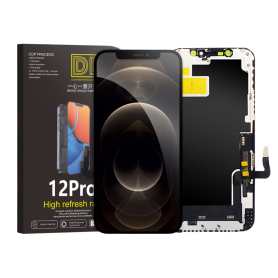
Screen iPhone 12 / 12 Pro (Hard Oled) DD - IC - Original Size / Thickness
Hard OLED replacement screen for iPhone 12 / 12 Pro. DD-IC range with original size and thickness. Reference: DD12P. Designed for professional repair. Check the device model and test the display and touch functions before closing the device. 12-month warranty.

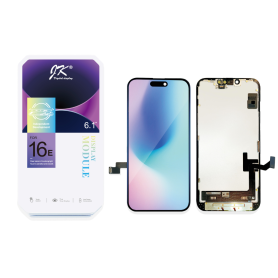
Screen iPhone 16e/17e (LTPS) JK - COF - FHD1080p
Advantages
LTPS
TFT
OLED
Pixel resolution
FHD1080p Same as original
HD 720p
Same as original
Power consumption
10% power savings compared to TFT quality
Normal power consumption
20% power savings compared to TFT quality.
Response time
Fast response
Normal response
Response same as original
Image quality
High image quality with vivid colors.
Normal display
More vivid colors, perfect blacks.
Cost
Excellent quality and cost.
Best cost
Production cost steadily decreasing.
After-sales feedback
After-sales rate 0.1%
After-sales rate 0.3%
After-sales rate 0.2%
Phone thickness with screen (7.65 mm original)
7.75 mm
7.80 mm
7.65 mm
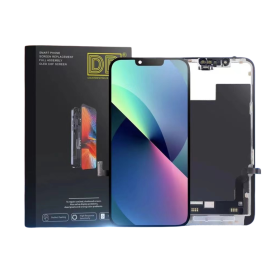
Screen iPhone 13 (Soft Oled) DD - IC - Original Size / Thickness
Soft OLED replacement screen for iPhone 13. DD-IC range with original size and thickness. Reference: DD13. Designed for professional repair. Check the device model and test the display and touch functions before closing the device. 12-month warranty.
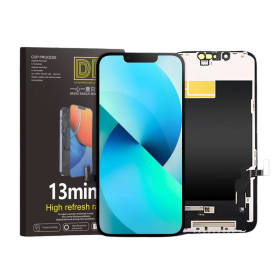
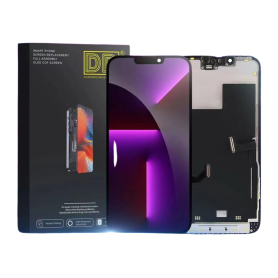
Screen iPhone 13 Pro (Soft Oled) DD - IC - 120hz - Original Size / Thickness
Soft OLED replacement screen for iPhone 13 Pro. DD-IC range with original size and thickness. Listed refresh rate: 120 Hz. Reference: DD13Pro. Designed for professional repair. Check the device model and test the display and touch functions before closing the device. 12-month warranty.
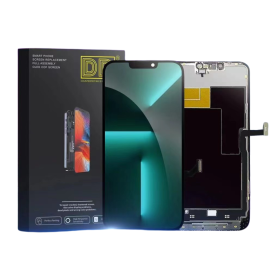
Screen iPhone 13 Pro Max (Soft Oled) DD - IC - 120hz - Original Size / Thickness
Screen for iPhone 13 Pro Max.Panel technology: Soft OLEDRefresh rate: 120 HzOriginal size and thicknessBrand: DDSpare part intended for repair shops and resellers. Installs as a replacement for the original part on the indicated device.
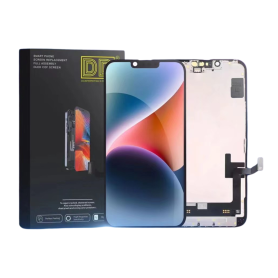
Screen iPhone 14 (Soft Oled) DD - IC - Original Size / Thickness
Soft OLED replacement screen for iPhone 14. DD-IC range with original size and thickness. Reference: DD14. Designed for professional repair. Check the device model and test the display and touch functions before closing the device. 12-month warranty.
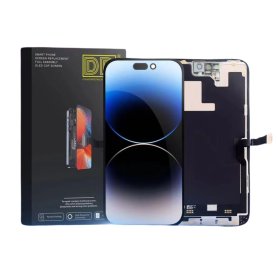
Screen iPhone 14 Pro (Soft Oled) DD - IC - Original Size / Thickness
Soft OLED replacement screen for iPhone 14 Pro. DD-IC range with original size and thickness. Reference: DD14Pro. Designed for professional repair. Check the device model and test the display and touch functions before closing the device. 12-month warranty.
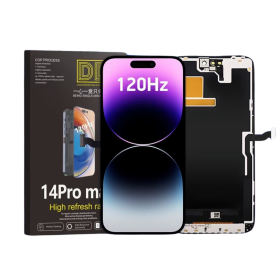
Screen iPhone 14 Pro Max (Soft Oled) DD - IC - 120hz - Original Size / Thickness
Soft OLED replacement screen for iPhone 14 Pro Max. DD-IC range with original size and thickness. Listed refresh rate: 120 Hz. Reference: DD14PM. Designed for professional repair. Check the device model and test the display and touch functions before closing the device. 12-month warranty.
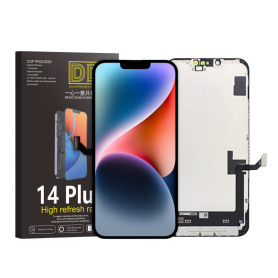
Screen iPhone 14 Plus (Soft Oled) DD - IC - Original Size / Thickness
Soft OLED replacement screen for iPhone 14 Plus. DD-IC range with original size and thickness. Reference: DD14Plus. Designed for professional repair. Check the device model and test the display and touch functions before closing the device. 12-month warranty.
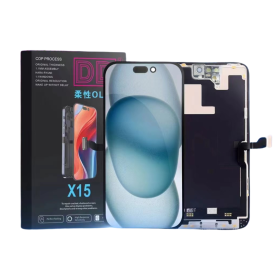
Screen iPhone 15 (Soft Oled) DD - IC - Original Size / Thickness
Soft OLED replacement screen for iPhone 15. DD-IC range with original size and thickness. Reference: DD15. Designed for professional repair. Check the device model and test the display and touch functions before closing the device. 12-month warranty.
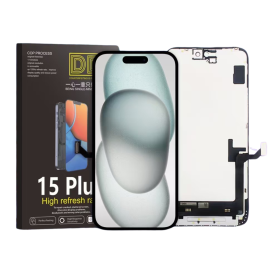
Screen iPhone 15 Plus (Soft Oled) DD - IC - Original Size / Thickness
Soft OLED replacement screen for iPhone 15 Plus. DD-IC range with original size and thickness. Reference: DD15Plus. Designed for professional repair. Check the device model and test the display and touch functions before closing the device. 12-month warranty.
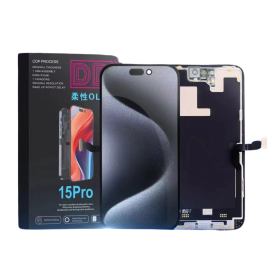
Screen iPhone 15 Pro (Soft Oled) DD - IC - Original Size / Thickness
Screen for iPhone 15 Pro.Panel technology: Soft OLEDOriginal size and thicknessBrand: DDSpare part intended for repair shops and resellers. Replaces the original part on the indicated device.
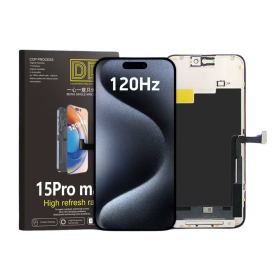
Screen iPhone 15 Pro Max (Soft Oled) DD - IC - 120hz - Original Size / Thickness
Soft OLED replacement screen for iPhone 15 Pro Max. DD-IC range with original size and thickness. Listed refresh rate: 120 Hz. Reference: DD15PM. Designed for professional repair. Check the device model and test the display and touch functions before closing the device. 12-month warranty.
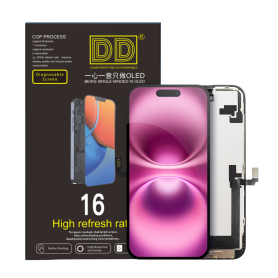
Screen iPhone 16 (Soft Oled) DD - IC - Original Size / Thickness
Soft OLED replacement screen for iPhone 16. DD-IC range with original size and thickness. Reference: DD16. Designed for professional repair. Check the device model and test the display and touch functions before closing the device. 12-month warranty.
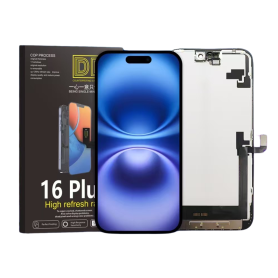
Screen iPhone 16 Plus (Soft Oled) DD - IC - Original Size / Thickness
Soft OLED replacement screen for iPhone 16 Plus. DD-IC range with original size and thickness. Reference: DD16Plus. Designed for professional repair. Check the device model and test the display and touch functions before closing the device. 12-month warranty.
Out-of-Stock
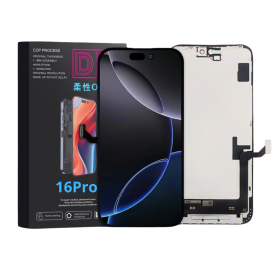
Screen iPhone 16 Pro (Hard Oled) DD - IC - Original Size / Thickness
Screen for iPhone 16 Pro.Panel technology: Hard OLEDBrand: DDSpare part intended for repair shops and resellers. Installs as a replacement for the original part on the indicated device.
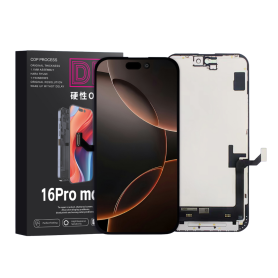
Screen iPhone 16 Pro Max (Soft Oled) DD - IC - 120hz - Original Size / Thickness
Soft OLED replacement screen for iPhone 16 Pro Max. DD-IC range with original size and thickness. Listed refresh rate: 120 Hz. Reference: DD16PM. Designed for professional repair. Check the device model and test the display and touch functions before closing the device. 12-month warranty.
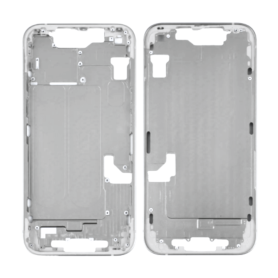
Empty iPhone 14 White Chassis (Original Disassembled) - Grade AB
Main Features of the Empty Chassis iPhone 14 White (Origine Disassembled) - Grade AB Authenticity & Quality: This chassis comes from an Origine iPhone 14, guaranteeing perfect compatibility and seamless integration with the device's other components. Classified Grade AB, it presents slight, almost invisible cosmetic imperfections that do not affect its functionality or durability in any way. Elegant Design: Featuring an elegant white finish, this chassis gives your device a modern and sophisticated look. Ideal for those who want to refresh the appearance of their iPhone 14 or replace a damaged chassis. Compatibility: Designed exclusively for the iPhone 14, guaranteeing a precise fit and optimal use of all functions, including buttons, ports, and camera modules. Easy Installation: Suitable for both professionals and experienced DIY enthusiasts. Helps extend the lifespan of your phone by allowing an easy replacement without compromising its performance. Eco-Friendly: By choosing an Origine disassembled chassis, you help reduce the carbon footprint by giving a second life to fully functional components. Guaranteed Safety: This chassis does not affect the phone's IP certification, still ensuring protection against dust and water after reassembly according to the standards. Choose the Empty Chassis iPhone 14 White Grade AB to combine quality, eco-friendliness, and affordable cost, giving your device a new lease on life without compromising on style or performance.
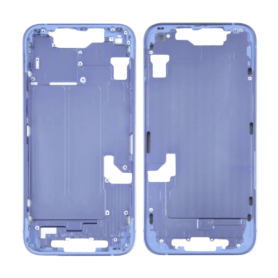
Empty iPhone 14 Purple Chassis (Original Disassembled) - Grade B
Product Name: Empty iPhone 14 Violet Chassis (Original Disassembled) - Grade B
Key Features:
Authentic OEM Part: This chassis is an original part disassembled directly from an iPhone 14, ensuring compatibility and a perfect fit for your device.
Vibrant Violet Finish: The chassis features the striking violet color of the iPhone 14, ideal for replacement or repair to restore your phone's aesthetic appeal.
Grade B Condition: This product is classified as Grade B, meaning it may exhibit minor cosmetic imperfections such as small scratches or scuffs, but is fully functional for repair purposes.
Structural Integrity: Retains the original frame integrity, ensuring your device remains sturdy and protective once reassembled.
Comprehensive Replacement: Includes key structural elements such as the mid-frame, rear housing, and rear camera lens ring. Note: does not include electronic components, buttons, or other internal hardware.
Precision Design: Designed to the exact specifications of the iPhone 14, making it an ideal choice for professional repairs.
Cost-Effective Solution: An economical alternative to complete device replacement, helping extend the life of your iPhone 14.
Eco-Friendly Option: Supports recycling and re-use by making use of original parts, reducing electronic waste.
DIY and Professional Use: Suitable for both DIY enthusiasts with technical expertise and professional technicians.
Safety and Protection: Provides the necessary support and protection for sensitive internal components once reassembled.
Note: Expert installation is recommended to ensure proper fitting and functioning. This chassis does not come with any internal electronic parts, screws, or adhesive materials.
Key Features:
Authentic OEM Part: This chassis is an original part disassembled directly from an iPhone 14, ensuring compatibility and a perfect fit for your device.
Vibrant Violet Finish: The chassis features the striking violet color of the iPhone 14, ideal for replacement or repair to restore your phone's aesthetic appeal.
Grade B Condition: This product is classified as Grade B, meaning it may exhibit minor cosmetic imperfections such as small scratches or scuffs, but is fully functional for repair purposes.
Structural Integrity: Retains the original frame integrity, ensuring your device remains sturdy and protective once reassembled.
Comprehensive Replacement: Includes key structural elements such as the mid-frame, rear housing, and rear camera lens ring. Note: does not include electronic components, buttons, or other internal hardware.
Precision Design: Designed to the exact specifications of the iPhone 14, making it an ideal choice for professional repairs.
Cost-Effective Solution: An economical alternative to complete device replacement, helping extend the life of your iPhone 14.
Eco-Friendly Option: Supports recycling and re-use by making use of original parts, reducing electronic waste.
DIY and Professional Use: Suitable for both DIY enthusiasts with technical expertise and professional technicians.
Safety and Protection: Provides the necessary support and protection for sensitive internal components once reassembled.
Note: Expert installation is recommended to ensure proper fitting and functioning. This chassis does not come with any internal electronic parts, screws, or adhesive materials.
Out-of-Stock
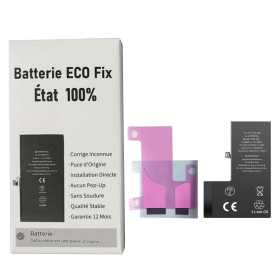
Battery A3121 4422mAh iPhone 15 Pro Max (ECO Fix) Direct Installation - No Pop-up / Health 100%
Use Repair Assistant to Finish an iPhone or iPad Repair
This Battery Without Logo
On an iPhone 12 or later running iOS 18, when a new Apple battery is installed,“Finish Repair” will appear next to Battery until you complete the repair using the Repair Assistant.
On an iPhone 12 or later running iOS 18, it is possible to reuse an original Apple battery on another iPhone of the same model.
The date of first use, capacity, and cycle count of your battery can be found in Settings > Battery > Battery Health.
How to Run Diagnostics & Finish Repair for iPhone Battery
1. Ensure your device is updated to iOS 18
2. Go to Settings > General > About > Parts & Service History
3. Tap "Restart & Finish Repair" to activate the Repair Assistant
4. Follow the on-screen instructions to complete the calibration
After completing this process, your battery will display 100% health, and there will be no pop-up warning about non-genuine parts.
Important Notes:
Your iPhone must be connected to Wi-Fi
Your battery level should be above 20%
If the process fails, restart your device and try again
If the repair is not completed, the battery may not function optimally, and some features (Face ID, Touch ID) may be disabled until calibration is finalized
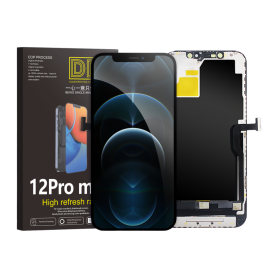
Screen iPhone 12 Pro Max (Soft Oled) DD - IC - Original Size / Thickness
DD-IC Soft OLED replacement screen for iPhone 12 Pro Max.
Original size and thickness to fit the correct model.
Manufacturer reference: DD12PM; SKU: EA568.
Designed for professional repair workshops.
12-month warranty.
Out-of-Stock
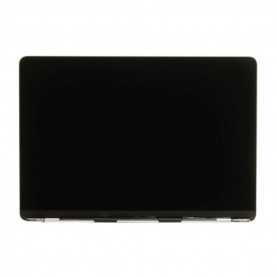
Full LCD Screen MacBook A2681 Space Gray (Original Refurbished)
COMPATIBILITY: MACBOOK Air 13" MODEL: A2681